
Download Customer.io – Email Automation, Lifecycle Marketing, Free Trial
Overview
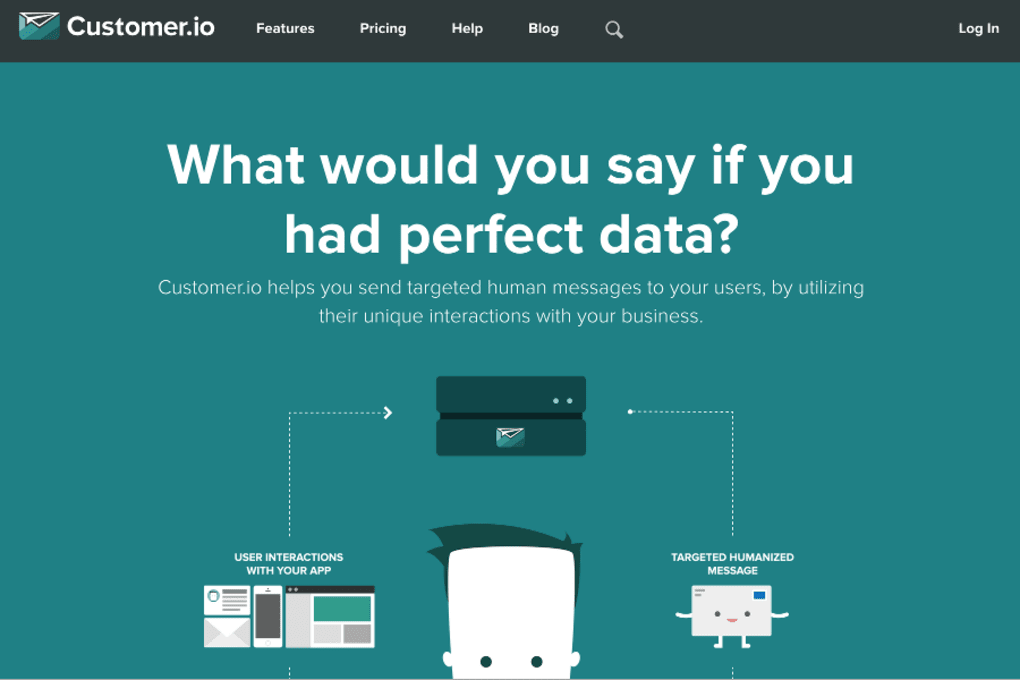
Customer.io is a powerful, cloud‑based email automation tool that helps businesses design, launch, and optimize lifecycle‑driven marketing campaigns. Whether you need to send a welcome series to new sign‑ups, re‑engage lapsed shoppers, or trigger timely offers based on purchase history, Customer.io aggregates real‑time behavioral data and turns it into highly targeted, personalized messages. The platform shines when your customer base scales, offering a secure, API‑first architecture that lets developers pull in custom events, segment users on‑the‑fly, and automate complex workflows without writing endless code. With a free trial, built‑in A/B testing, and robust analytics, the app is positioned as a go‑to solution for marketers who want to turn raw data into revenue‑generating conversations across email, SMS, and push notifications. Its intuitive drag‑and‑drop builder, combined with granular segmentation, makes it equally suitable for startups and enterprise teams looking to streamline their customer lifecycle marketing.
Key Features and Benefits
- Behavioral Segmentation: Real‑time filters based on events, page views, purchases, and custom attributes.
- Drag‑and‑Drop Campaign Builder: Visual workflow editor that lets you map out triggers, delays, and actions without code.
- Multi‑Channel Messaging: Send emails, SMS, push notifications, and in‑app messages from a single platform.
- API‑First Integration: Robust REST and GraphQL APIs for developers to push events, update profiles, and fetch analytics.
- A/B Testing & Optimization: Test subject lines, content blocks, and send times with built‑in statistical reporting.
- Dynamic Content Rendering: Personalize email bodies with liquid templating and conditional logic.
- Compliance & Security: GDPR, CCPA, and SOC 2 compliance, TLS encryption, and role‑based access controls.
- Analytics Dashboard: Real‑time performance metrics, revenue attribution, and cohort analysis.
- Integrations Marketplace: Connectors for Shopify, Segment, Salesforce, Zapier, and more.
- Scalable Architecture: Handles millions of events per day with auto‑scaling cloud infrastructure.
These features collectively empower marketers to move beyond static newsletters and into truly automated, data‑driven conversations. By leveraging Customer.io’s event‑based triggers, you can automatically welcome a user the moment they complete a sign‑up form, remind a cart‑abandoner after 24 hours, or reward a repeat buyer with a loyalty discount after their fifth purchase. The platform also offers deep reporting that ties each message back to revenue, allowing you to calculate ROI at the campaign level and continually refine your messaging strategy.
Installation, Usage & Compatibility
Getting Started – Simple Setup
Because Customer.io is a SaaS solution, there is no traditional “installation” on your desktop. To begin, simply visit the official website, click the Start Free Trial button, and create an account using your email address or Google credentials. After confirming your email, you’ll be guided through an onboarding wizard that helps you connect your data sources, import existing contacts, and set up your first trigger.
Connecting Data Sources
The platform offers native integrations for popular e‑commerce and CRM tools. For custom applications, you can embed a lightweight JavaScript snippet or use server‑side SDKs (available for Node.js, Ruby, Python, PHP, Java, and .NET) to push events directly to Customer.io’s API. Once events are flowing in, you can instantly segment users based on those actions.
Building Your First Campaign
Inside the dashboard, navigate to Campaigns → New Campaign. Choose a trigger type (e.g., “User subscribes to newsletter”), set optional delays (e.g., “Wait 2 days”), and then add actions such as “Send Email” or “Send SMS”. Use the built‑in email editor to craft responsive templates, insert dynamic variables like {{first_name}}, and preview how the message looks on desktop and mobile devices. After saving, enable the campaign and let the automation run 24/7.
Supported Operating Systems
Customer.io’s web interface is compatible with any modern browser on Windows 10/11, macOS, Linux, as well as mobile browsers on Android 12+ and iOS 14+. The API and SDKs work across all major server operating systems, ensuring that developers on Windows Server, Ubuntu, or Amazon Linux can integrate seamlessly.
Maintenance & Updates
Since the service is cloud‑hosted, updates are automatic and delivered without downtime. New features, security patches, and performance improvements are rolled out continuously. Users receive in‑app notifications and email newsletters highlighting major releases, and you can review the changelog on the Customer.io documentation portal.
Pros and Cons
Pros
- Highly granular, event‑driven segmentation for precise targeting.
- Intuitive visual campaign builder reduces reliance on developers.
- Robust API and SDKs enable deep customization and integration.
- Multi‑channel support (email, SMS, push) from a single platform.
- Comprehensive analytics that tie messages directly to revenue.
- Scalable infrastructure suitable for both startups and large enterprises.
- Strong compliance and security certifications (GDPR, SOC 2).
Cons
- Pricing can become steep for high‑volume senders; no perpetual free tier.
- Learning curve for advanced liquid templating and API usage.
- Limited built‑in design templates compared to dedicated email builders.
- SMS pricing varies by country and may require third‑party gateway setup.
- Reporting UI could benefit from more customizable dashboards.
Overall, Customer.io delivers a robust, data‑centric solution for lifecycle marketing, earning a solid 4‑star rating for its flexibility, automation depth, and reliable performance.
Frequently Asked Questions
Can I use Customer.io for SMS campaigns?
Yes. Customer.io supports SMS messaging through integrated providers like Twilio and Nexmo. You can trigger SMS sends based on the same events and segments used for email, allowing a unified multi‑channel strategy.
Is there a free plan or trial?
Customer.io offers a 14‑day free trial with full access to all features. While there is no perpetual free tier, the trial lets you test email volume, API limits, and automation capabilities before committing to a paid plan.
How does Customer.io handle GDPR compliance?
The platform provides data‑subject request tools, consent management hooks, and stores personal data in GDPR‑compliant regions. You can also configure retention policies and export user data upon request.
Can I integrate Customer.io with my existing CRM?
Yes. Native integrations are available for Salesforce, HubSpot, and Microsoft Dynamics. Additionally, you can use Zapier or the open API to sync contacts and trigger events between any CRM and Customer.io.
What kind of support does Customer.io provide?
Support includes 24/7 email assistance for paid plans, a dedicated account manager for enterprise customers, live chat during business hours, and an extensive knowledge base with tutorials, API docs, and community forums.
Conclusion & Call to Action
Customer.io stands out as a secure, scalable, and feature‑rich platform for businesses aiming to automate their customer lifecycle communications. Its event‑driven segmentation, flexible API, and multi‑channel capabilities make it a compelling choice for marketers who need precision targeting without sacrificing ease of use. While the pricing structure may be a consideration for high‑volume senders, the ROI generated through personalized, timely campaigns often justifies the investment. If you’re ready to elevate your email and SMS marketing, start your free trial today and experience how data‑driven automation can turn casual shoppers into loyal advocates.



.png)



